December 27, 2016
How to enable online reading of Taylor & Francis journals from your Plone site
a Plone external method to allow member-only access to reading an online journal
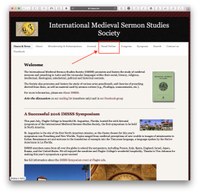
For Plone 4.3 I implemented an External Method that obtains a special one-time access URL from Taylor & Francis' web site.
You can see this in action at the International Medieval Sermon Studies web site!
The External Method is secured with the ZMI's Security tab but it is also behind a couple of Plone pages, one of which requires logging in to read.
The Python script itself is:
from Products.CMFCore.utils import getToolByName

def mss_online(self):
 # check if we are logged in
 pm = getToolByName(self, 'portal_membership', None)
 if not pm:
   return "Unable to check if you are logged in. Please notify a site administrator."
 user = pm.getAuthenticatedMember()
 if str(user) == "Anonymous User":
   return "You are not logged in."
 BIG_URL = "http://www.tandfonline.com/tps/requestticket?ru=http://www.tandfonline.com/biglongurlwithparameters"
 import urllib2
 url = urllib2.urlopen(BIG_URL).read()
 return "<META HTTP-EQUIV=\"Refresh\" CONTENT=\"0; URL=%s\"><html><head></head><body>You are being redirected to <a href=\"$redirURL\">tandfonline.com</a></body></html>" % url
I named the script mss_online.py and placed it in the Plone installation directory’s “Extensions” subdirectory (e.g. /opt/Plone/zeocluster/Extensions/mss_online.py).
Then, using the Zope Management Interface, e.g. mysite.net/manage_main, I added an External Method, and set:
- Id: mss_online
- Title: (does not matter)
- Module Name: mss_online
- Function Name: mss_online
To protect it from non-logged in access, I then used the Security tab to uncheck “Acquire permission settings” and check “Authenticated” for the View permission.